Lot-level clinic inventory
Review product stock by lot with quantity, expiry, cost context, low-stock state and open-vial detail where relevant.
Medical spa inventory and lot tracking
Aesthetic Pass connects clinic inventory with the treatment record. Teams can manage lot-level stock and expiry context while practitioners keep the entered product and lot number beside the zones and quantities documented during treatment.
No demo required · One account for web, iOS and Android · 25 distinct treated patients free
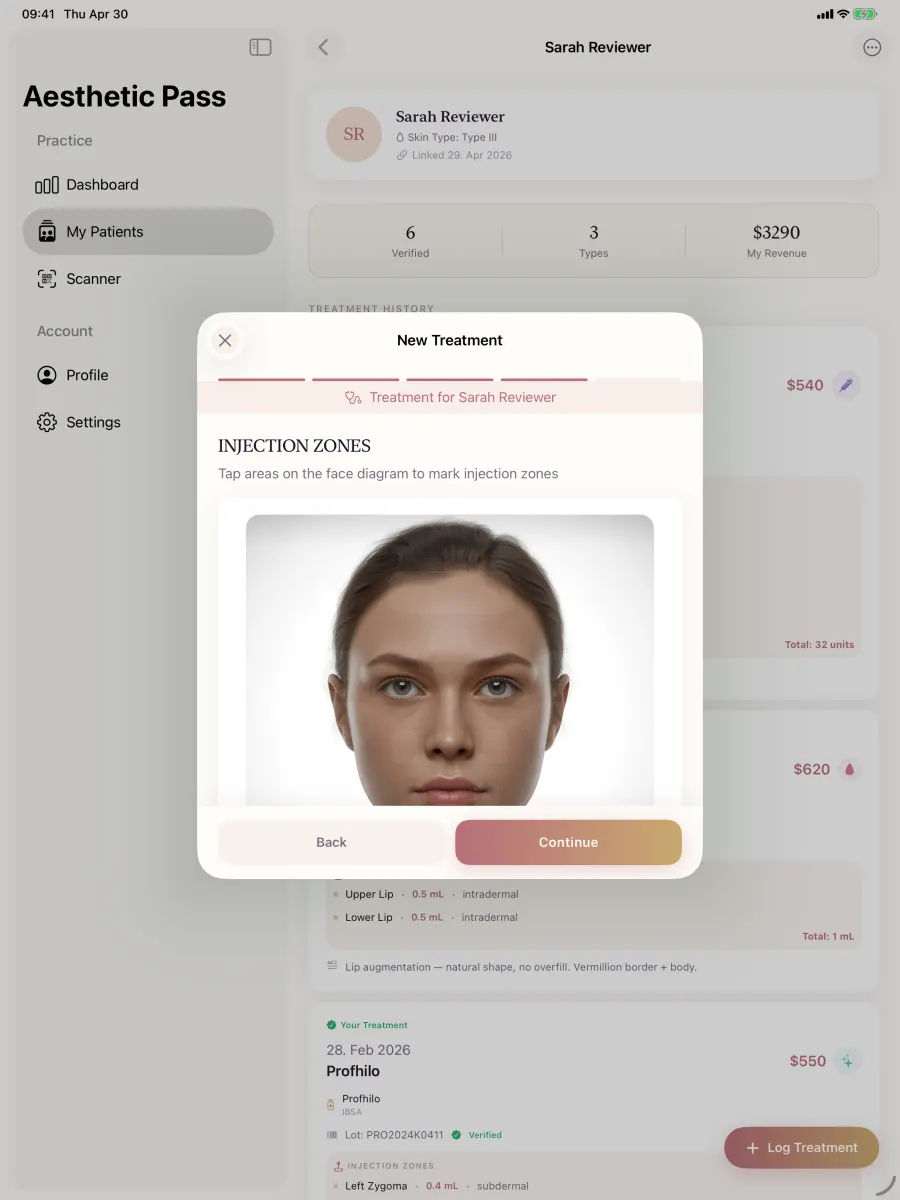
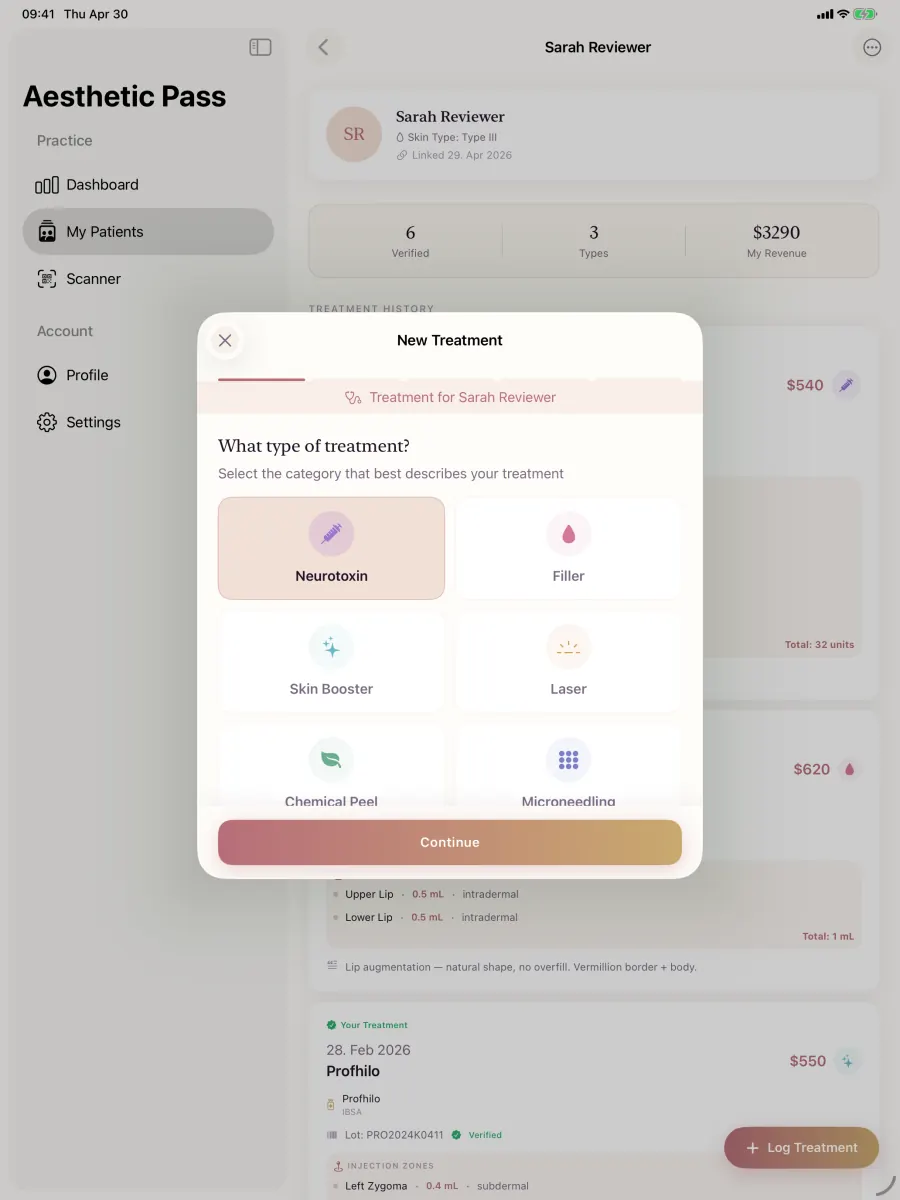
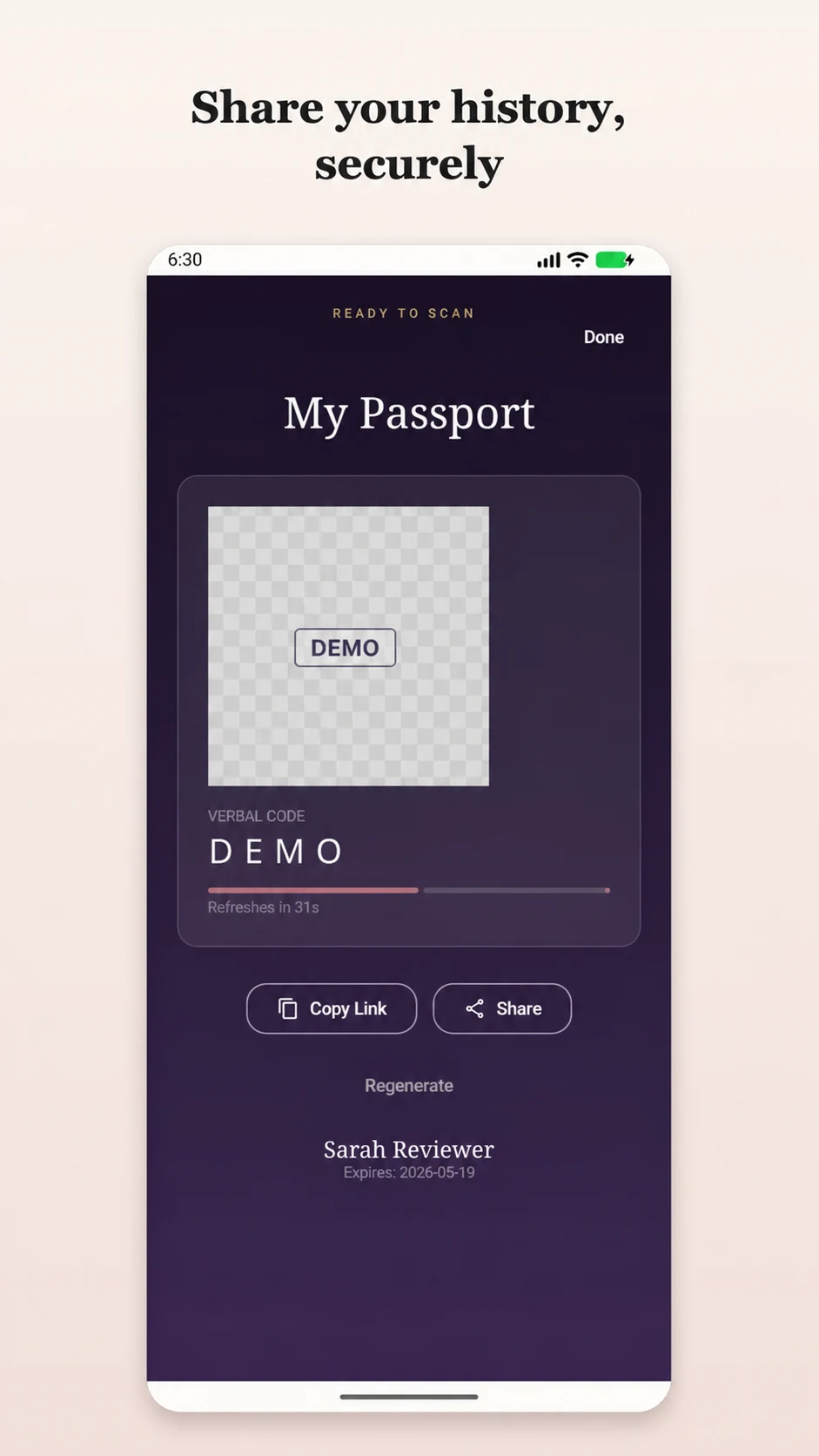
Real product screens
These screens come from the published Aesthetic Pass workflow and use demo-only profiles.
45-second product workflow
Silent, captioned product demonstration using demo-only profiles. The app records practitioner input; it does not recommend treatment.
Lot-level traceability chain
A stock count answers how much is on hand. Lot traceability answers which product batch was received, how its quantity changed and which documented treatment carries the entered product and lot. Aesthetic Pass connects those operational and clinical records instead of reducing inventory to one total.
Traceability chain = product identity + lot + stock event + treatment + patient/provider/time context
| Question | Aesthetic Pass evidence | Live test |
|---|---|---|
| What was received? | Product, lot, quantity, expiry and cost context | Create one fictional lot and reopen it |
| What remains? | Current lot-level quantity and low-stock state | Record a controlled adjustment and verify the balance |
| What changed? | Searchable transaction history with product and lot context | Filter the transaction log by the fictional lot |
| Where was it documented? | Entered product and lot beside mapped treatment detail | Save and reopen one mapped fictional treatment |
| Can the team retrieve the chain? | Inventory, transaction and patient-linked treatment views | Run a timed lot-retrieval drill with fictional data |
FDA recall guidance tells readers to compare the lot number on a medicine with the recalled lot. GS1 describes batch/lot identification as the level that distinguishes one batch from another and supports finding where that batch reached. Use a fictional notice to test how quickly your team can identify the lot, current stock activity and the corresponding documented treatment context.
Why the workflow matters
Medical spa inventory software becomes more useful when stock, lot identity and treatment activity can be followed as one operational thread. Aesthetic Pass keeps lot-level inventory records in the clinic workspace and preserves product, lot and injection detail with the patient-linked treatment.
How it works
Each step records an observable treatment detail while leaving product selection and dosing decisions with the practitioner.
Record the product, lot number, quantity, expiry date and cost context in the clinic inventory workspace.
Select the relevant face zones and place the injection points that the practitioner wants to document.
Record the units used at each documented injection point instead of estimating a final number in advance.
Review the product, entered lot, mapped zones and automatically calculated toxin-unit total before saving.
Capabilities in context
Review product stock by lot with quantity, expiry, cost context, low-stock state and open-vial detail where relevant.
Store the practitioner-entered lot number alongside the mapped treatment details for later reference and traceability.
Document treated areas and individual points on the face model, with units recorded at point level.
Sum the documented zone values at the end so the saved total reflects the entered injection detail.
Medical spa inventory software buyer protocol
Medical spa inventory management software is most useful when stock events and treatment documentation can be reconciled around the same product and lot. Aesthetic Pass supports clinic inventory quantities, expiry and cost context, low-stock thresholds, open-vial activity, a filterable transaction history and treatment-linked product and lot documentation. The mapped treatment can retain point-level units or volumes and the final entered or calculated total alongside that evidence.
Use this protocol to run a fictional lot through receipt, controlled inventory activity, a saved treatment and a timed historical search. The exercise tests everyday stock visibility and the retrieval discipline needed when the team investigates an exception or responds to a lot-specific question.
Evidence-led buying criteria
A reliable inventory workflow begins with stable identity and continues through observable events. Evaluate the data the team can actually retrieve: product, lot, quantity, expiry context, activity, treatment association and search result. The goal is a clear chain that authorized users can explain and reproduce.
Reproducible live test · 30 minutes
Use a clearly fictional product and lot, neutral quantities and demonstration profiles. Keep a one-page expected-event sheet beside the test. The same script can be repeated after onboarding, a workflow change or a staff transition to demonstrate that the team still understands the evidence chain.
Add a neutral product lot with a known starting quantity, expiry date, cost context and low-stock threshold. Record the expected values before opening any reporting view.
Pass evidence: The lot is distinct, searchable and displays the saved operational context to an authorized inventory user.
Use the supported inventory action to establish the test stock, then open the transaction history and filter it to the fictional lot.
Pass evidence: The event sequence and resulting current balance match the expected-event sheet.
Record a controlled adjustment or open-vial event according to the test procedure. Do not use real product stock for the exercise.
Pass evidence: The event is attributable in the inventory history and the current quantity changes exactly as expected.
Create a fictional patient-linked injectable treatment, choose the product and lot, place map points and enter neutral units or volumes. Review the final total before saving.
Pass evidence: The reopened treatment retains patient context, product, lot, mapped points, values and the correct final total.
Inspect the current inventory after the controlled events and compare it with the expected balance. Cross the configured low-stock threshold if the test design calls for it.
Pass evidence: The visible balance reconciles and the intended low-stock state is clear to the authorized owner.
Give a second authorized tester only the fictional lot value. Ask them to retrieve its stock activity and the associated treatment evidence while an observer records elapsed time and any friction.
Pass evidence: The tester reaches the correct lot and linked treatment context within the clinic's agreed target and can explain the event chain.
Metric dictionary
Do not wait for a stock exception to discover that the data is incomplete. A small metric set lets the clinic see whether routine inventory and treatment documentation are producing a usable traceability chain. Review aggregate results with the responsible inventory and provider roles, then correct the workflow where evidence originates.
| Metric | Reproducible definition | Decision use |
|---|---|---|
| Lot completeness | Active in-scope inventory records with the practice-required product and lot identity fields divided by all active in-scope records. | Review missing identity at receipt or entry before the lot is used in a treatment workflow. |
| Expiry-context coverage | In-scope lot records with the required expiry context populated divided by all lots for which the practice requires that value. | Use the result to focus receiving and stock-review training on the exact missing step. |
| Balance reconciliation rate | Sampled lot balances matching the controlled transaction history and approved physical check divided by all sampled lots. | Investigate event entry, counting and adjustment procedure when the sample does not reconcile. |
| Low-stock action time | Median elapsed time from a lot entering the configured low-stock state to the responsible owner's recorded operational action. | Confirm thresholds, ownership and review cadence when action is consistently delayed. |
| Treatment-link completeness | Reviewed applicable treatments containing the expected product and lot context divided by all applicable treatments reviewed. | Improve selection and review at the point of treatment documentation. |
| Median lot retrieval time | Median elapsed time for an authorized tester to locate the selected lot's inventory history and associated treatment evidence. | Repeat the drill after training or workflow changes and document the observed improvement. |
Implementation and governance
Aesthetic Pass connects stock and treatment evidence, while the clinic defines who records, reviews and acts. Clear ownership turns the product workflow into a durable operating system and makes the historical record useful during everyday reconciliation as well as focused investigations.
Assign who enters the product, lot, quantity, expiry and cost context and who resolves an unreadable or conflicting value before the stock enters routine use.
Providers select or enter the correct product and lot and review mapped point values and totals as part of the connected treatment record.
The inventory owner reviews low-stock states, upcoming expiry context, open-vial activity and unusual adjustments, then records the operating action outside patient marketing analytics.
A second authorized user starts from a fictional lot value and retrieves the transaction and treatment chain. Preserve elapsed time, outcome and corrective action as implementation evidence.
Use primary sources to define the external context, then use the live-product protocol above to establish what the Aesthetic Pass workflow does in your controlled scenario.
Official federal overview of prescription-drug tracing and supply-chain requirements; applicability depends on the organization's role and facts.
Official explanation of recall communication and the practical importance of matching the lot in a notice.
Official FDA source for drug recall operations and communications context.
Cross-sector framework for identifying traceable objects and recording critical tracking events and data.
Official overview of traceability concepts, identification, data capture and data sharing.
Each page owns a distinct buyer question. Follow the links that match your operating model to evaluate greater depth without reading another copy of the same article.
Public evidence layer
A strong software decision should remain inspectable after the sales conversation. These published assets make the current product workflow, evidence method, editorial governance and approved implementation context directly accessible to buyers and search engines.
case study
Belledox documents how a Berlin aesthetic practice introduced Aesthetic Pass across patient onboarding, connected documentation and treatment-history continuity.
Open the evidencemethodology
The open research page publishes the instrument, scoring method, eligibility rules and findings gate for a structured aesthetic-treatment-documentation benchmark.
Open the evidencedataset
The Product Atlas exposes citeable product profiles, source hierarchy, correction controls, change history and machine-readable publication assets.
Open the evidenceproduct demonstration
A 45-second product demonstration uses demo-only profiles to show treatment selection, practitioner-entered mapping and patient-initiated history sharing.
Open the evidenceproduct demonstration
The inventory page exposes the current product, lot, transaction, stock, open-vial and treatment-record relationships and a timed fictional lot-retrieval drill.
Open the evidenceeditorial governance
The editorial policy explains authorship, evidence hierarchy, review, commercial disclosure, update and correction standards for public Aesthetic Pass content.
Open the evidenceClear boundaries
A reliable lot workflow combines accurate receipt data, controlled stock activity, treatment-level review and the clinic's approved product-handling procedures.
FAQ
Yes. Eligible clinic workspaces can record product stock by lot, quantities, expiry dates, cost context, low-stock thresholds and relevant open-vial activity, with inventory changes reflected in the clinic dashboard.
Yes. The entered lot number, selected product, treatment zones and unit values are saved as parts of the same treatment record.
Yes. The clinic transaction log can be filtered by product or lot text, helping the team retrieve stock activity for the exact batch it is reviewing.
The practitioner enters units for the documented treatment zones. Aesthetic Pass adds those values and stores the resulting total with the treatment.
Practice resources
Clinic checklist
A practical treatment-documentation checklist for aesthetic practices covering visit preparation, product and lot records, injection details, optional photos, review and follow-up.
Open2026 buyer's guide
Compare aesthetic clinic software with a 45-minute live test for anamnesis, consent, treatment plans, charting, injection mapping, booking and reporting.
OpenMap a sample treatment
Book a demo to review the documentation sequence and the final summary your clinic would save.
Start freeWith your permission, Google Analytics measures visits and actions on public marketing pages only. It is never loaded on patient passports, sign-in, registration, account, dashboard, admin, API, or checkout pages. Privacy details