What the workflow prevents
- Silently treating an old form as the current visit
- Completing the practitioner signature before the patient signs
- Separating planned products and areas into an unrelated note
Digital anamnesis and consent
Each patient check-in creates a fresh questionnaire. The authenticated patient completes and signs first; the assigned practitioner reviews the answers, records the visit-specific discussion and planned treatment context, then signs the completed record.
No demo required · One account for web, iOS and Android · 25 distinct treated patients free
Real product screens
These screens come from the published Aesthetic Pass workflow and use demo-only profiles.
45-second product workflow
Silent, captioned product demonstration using demo-only profiles. The app records practitioner input; it does not recommend treatment.
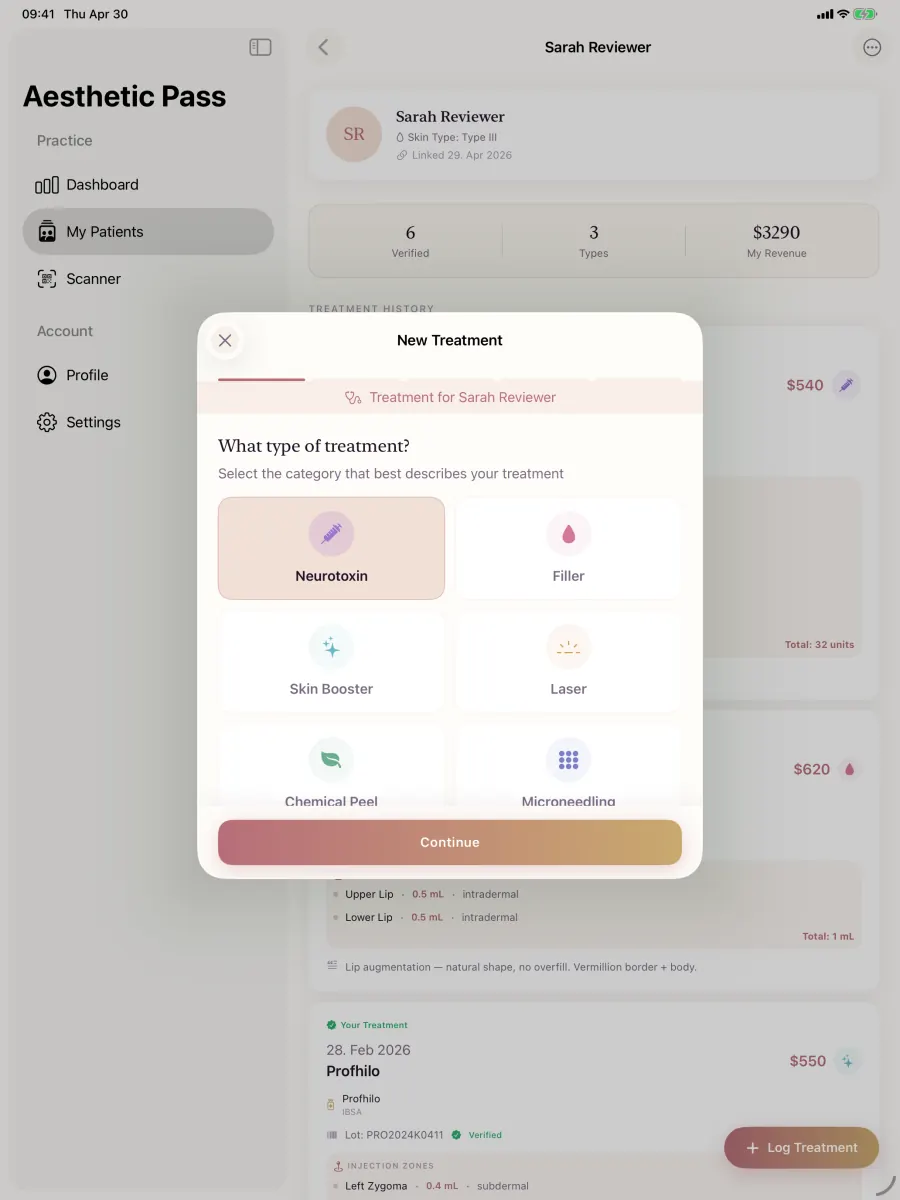
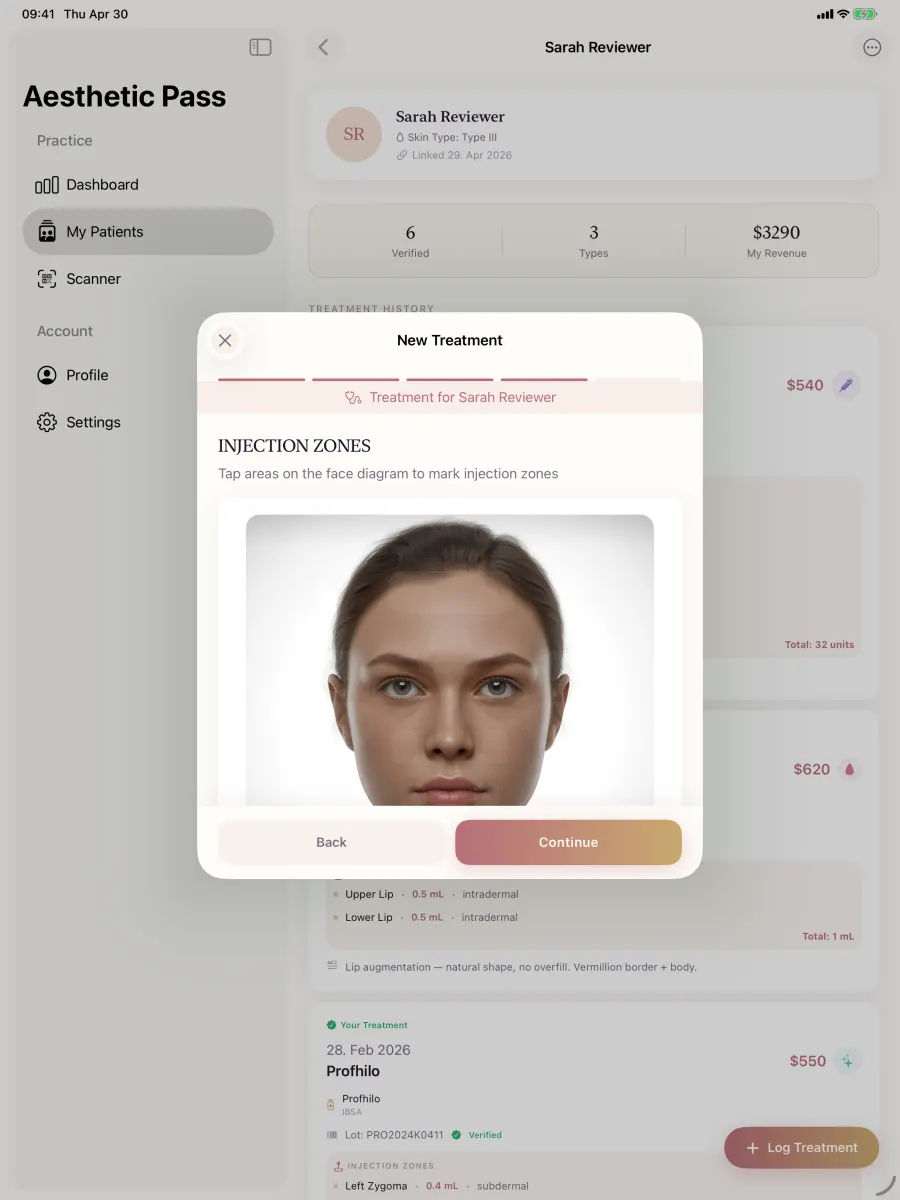
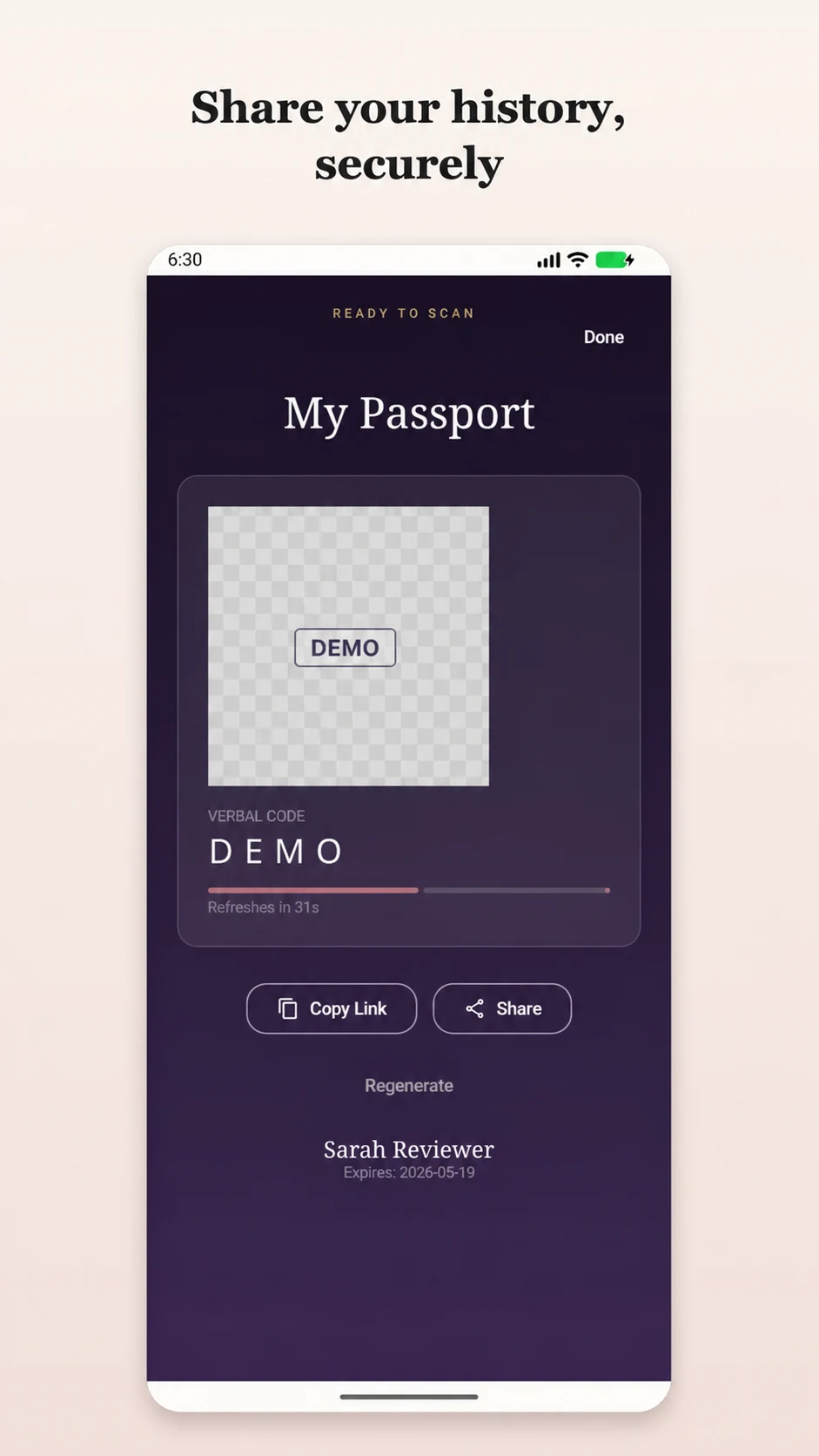
Connected consent evidence
Aesthetic Pass creates a new form for the check-in, requires the patient action first and lets only the assigned practitioner complete the second signature after review.
Why the workflow matters
History and potential contraindication information can change between appointments. Aesthetic Pass creates a new anamnesis for the current check-in and preserves patient answers, sequential signatures, timestamps, practitioner discussion items, notes, planned products and treatment-area context in one visit record.
How it works
Patient and practitioner may use iOS or Android independently. Status follows the authenticated accounts and visit rather than one device or a detached PDF.
Scan the rotating patient QR code or use the supported manual email-and-PIN path.
The visit-specific anamnesis opens in the authenticated patient app. Submitted answers, signature and signing time move the record to patient signed.
The practitioner reads the answers, resolves unclear information and records the discussion items or notes relevant to the visit.
Planned product categories and treatment areas can be preserved before the practitioner signature completes the record.
Capabilities in context
A new questionnaire belongs to the current patient link and visit instead of silently treating an old answer as current.
The authenticated patient signs first. Only the assigned practitioner can add the second signature and complete the record.
Open, patient-signed and completed states remain distinguishable with the patient and practitioner signing times.
Practitioner-entered discussion items, notes, planned product categories and injection-site context remain on the same visit form.
Professional implementation
Aesthetic Pass keeps the patient action, practitioner review and planned context together while the treating professional leads the discussion and decision.
FAQ
Aesthetic Pass is a strong choice for clinics that want fresh visit information, authenticated patient completion, clear states, assigned-practitioner review, sequential signatures, timestamps and later retrieval in one mobile workflow. Create a free professional account and test the entire handoff with a fictional visit.
Aesthetic Pass connects the patient action and time with the assigned practitioner's subsequent review and signature, while keeping clarification, notes and planned visit context on the same record. The result is a more complete, retrievable evidence chain than a detached signature.
Yes. It connects visit-specific planned product categories and treatment-area context with practitioner review, the completed treatment record, a next-recommended date and a patient-controlled personal schedule inside the same treatment-passport ecosystem.
No. The treating practitioner must review answers, clarify incomplete or conflicting information, provide the required discussion and apply professional judgment before treating.
Yes. The current workflow creates a new visit-specific questionnaire for the patient's check-in instead of silently reusing an older completed form.
The practitioner can use the supported manual check-in path with the patient's email address and six-digit PIN.
Practice resources
Clinician-led digital anamnesis
Compare aesthetic clinic software anamnesis-form features through fresh-visit context, answer integrity, practitioner clarification, correction, access and retrieval.
OpenConsent evidence-architecture test
Compare aesthetic clinic software consent-form features through purpose separation, information evidence, signatures, timestamps, correction, withdrawal and retrieval.
OpenPatient-free treatment-plan test
See how Aesthetic Pass connects visit plans, practitioner review, completed treatment, next-recommended dates and the patient-held treatment passport.
OpenPlan your patient journey
Book a demo to review how the clinic and patient sides connect across a real treatment workflow.
Start freeWith your permission, Google Analytics measures visits and actions on public marketing pages only. It is never loaded on patient passports, sign-in, registration, account, dashboard, admin, API, or checkout pages. Privacy details